
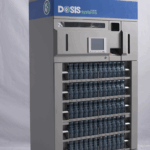
Microcom Printer Replacement — DOSIS Packaging Tower
September 4, 2026
This video walks through the complete Microcom printer replacement procedure for the DOSIS packaging tower — sixteen removal steps and twenty-eight install steps, in order, with the tower prepared for service.
Before you begin, contact Manchac Support. Support will walk you through the steps needed to prepare the tower for printer replacement, and again afterward for the power-up and verification process. Do not start work until that first call is complete.
The only tool required is a #1 Phillips screwdriver, which ships in the replacement kit. Have the new printer unboxed and a clear surface ready for the unit you remove. Runtime is approximately seven minutes.


Get started
We’d love to give you a Demo
Seeing is believing with the DOSIS System. See for yourself the value of DOSIS workflow through a full demo of a working system.
Schedule a Demo